
Save your whole setup to a zip file and put it back on any PC (build V3.6.1.0)
Two Things a Backup Does Not Carry.
Your license key and your linked eBay accounts. After a restore, enter the key again and link the account again under Options → eBay Accounts. Until you do, Commit to Buy and Make Offer stay off with no message.
Table of Contents #
What the Backup Includes #
- Keywords and search folders
- Filters and highlight words
- Blocked sellers
- Workspace layout, panels and results views
- Item Properties settings, saved layouts and custom columns
- SKU Manager AI and IE profiles (prompts, scripts, display templates)
Not included: your license key and your linked eBay accounts.
Create a Backup #
1. Open Help → Create backup. #
2. The Save Backup window opens with the name uBuyFirst Backup and today’s date. Pick a different folder if you want, then click Save. #
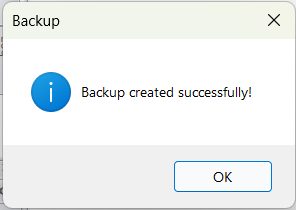
3. Wait for “Backup created successfully!” and click OK. #
Copy the zip somewhere safe, for example email it to yourself or put it on a cloud drive. We do not keep a copy of your backup.
Restore a Backup #
1. Open Help → Restore backup and choose the zip file. A Restore Backup box lists what will be deleted and restored (keywords, filters, AI and IE profiles) and asks “Do you want to continue?”. Click OK, or Cancel to keep what you have. #
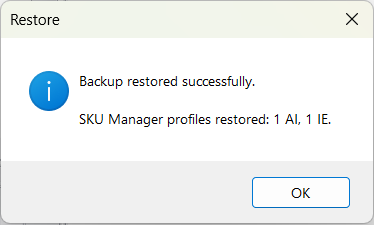
2. Wait for “Backup restored successfully” and click OK. The dialog also counts the SKU Manager profiles it brought back. #
3. Open Options → eBay Accounts and link your eBay account again. See Link Your eBay Account. #
Restoring overwrites your current keywords, filters and settings with the ones in the file.
Moving to a New PC #
- Install uBuyFirst and enter your license key.
- Restart the app.
- Restore your backup.
- Link your eBay account again.
FAQ #
When should I back up? Before big keyword or filter changes, after you have a setup that works, and before installing a new version.
Can I restore a backup made on an older version? Yes. Backups from older versions restore normally.
Does the backup include my SKU Manager setup? Yes. AI and IE profiles are in the backup and the restore dialog tells you how many came back.
Does a restore delete SKU Manager profiles I already have? No. It brings back the profiles in the backup and replaces any with the same name. Profiles that are not in the backup stay.
Why did Commit to Buy stop working after a restore? The linked eBay account is not in the backup, so the restore leaves the account list empty. Link it again under Options → eBay Accounts.
The restore failed. Restart the app and try again. If it still fails, contact support with the zip file.


