
Buy eligible eBay listings without leaving uBuyFirst (build V3.6.1.0)
What You Need.
An Enterprise licence, the Commit to Buy option switched on for your licence, and an eBay account linked inside the app. Commit to Buy is an optional paid feature: 0.9% of the item price, invoiced monthly. Buying in volume? Discounts on the fee can be reviewed on request: email su*****@*******st.com. How it is billed and how to opt in: Commit to Buy.
Table of Contents #
What Commit to Buy Does #
Commit to Buy places the order for you from inside uBuyFirst, using eBay’s app authorisation. You skip the browser checkout pages, so the listing is yours seconds sooner. uBuyFirst never sees or stores your eBay password.
It works on Buy It Now listings that do not require immediate payment. Auctions and immediate-payment listings open eBay checkout in your browser instead, at no fee.
The order is created on eBay unpaid. You then pay it on eBay, where shipping and tax are added.
Link Your eBay Account #
One-time setup. Without a linked account no listing is eligible and the Buy button opens your browser.
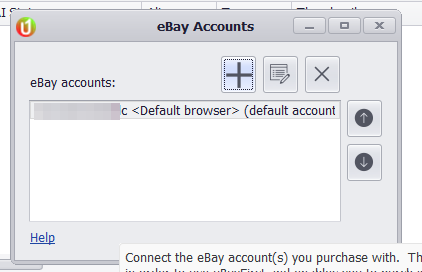
1. Open Options → eBay Accounts and click the + button. #
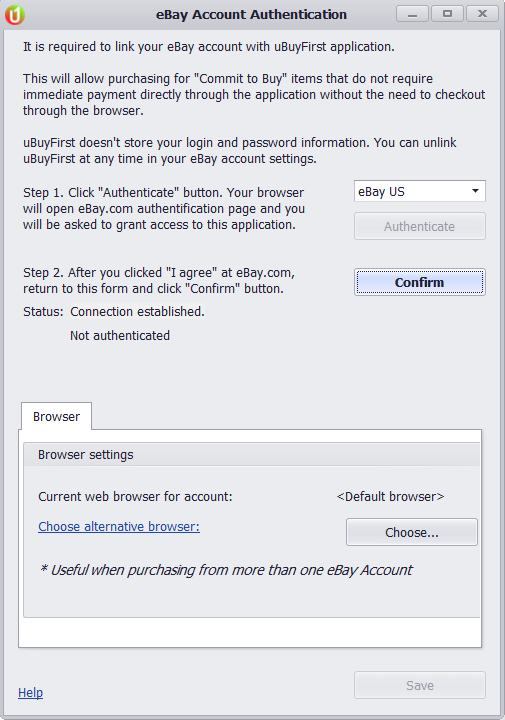
2. Pick your eBay site (for example eBay US) and click Authenticate. #
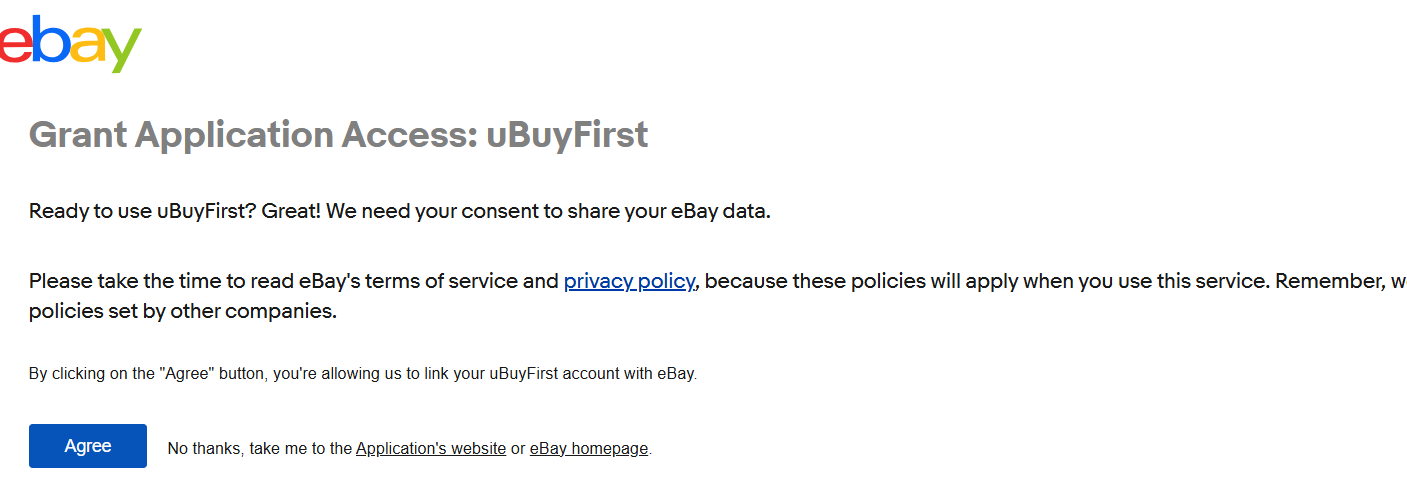
3. Your browser opens eBay. Sign in and click Agree on the “Grant Application Access: uBuyFirst” page. #
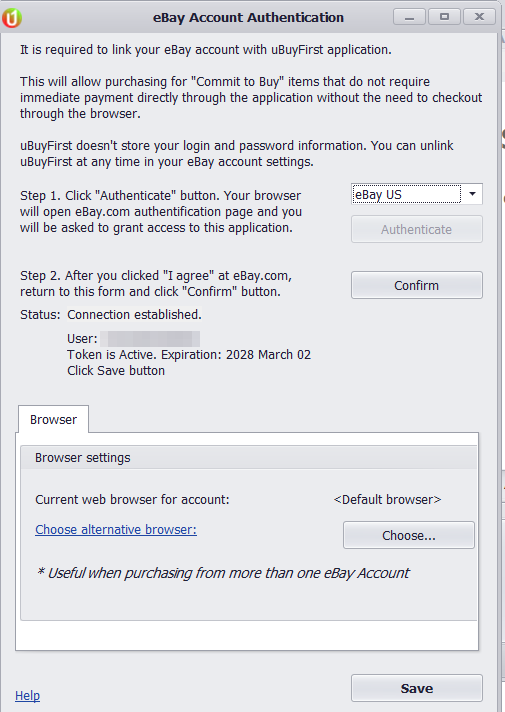
4. Back in uBuyFirst click Confirm. Status shows your user name and “Token is Active”. Click Save. #
Backups Do Not Include Linked Accounts.
After Help → Restore backup the eBay Accounts list is empty and Commit to Buy stops working with no message. Link the account again.
Buy an Item #
1. Look for the cart icon in the Total Price cell. It marks listings you can buy through the app. #

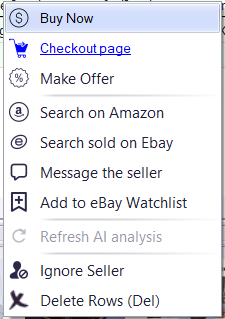
2. Right-click the row and choose Buy Now. #
The Buy button in the Buy panel does the same for the selected row. Checkout page in the same menu opens eBay in your browser instead.
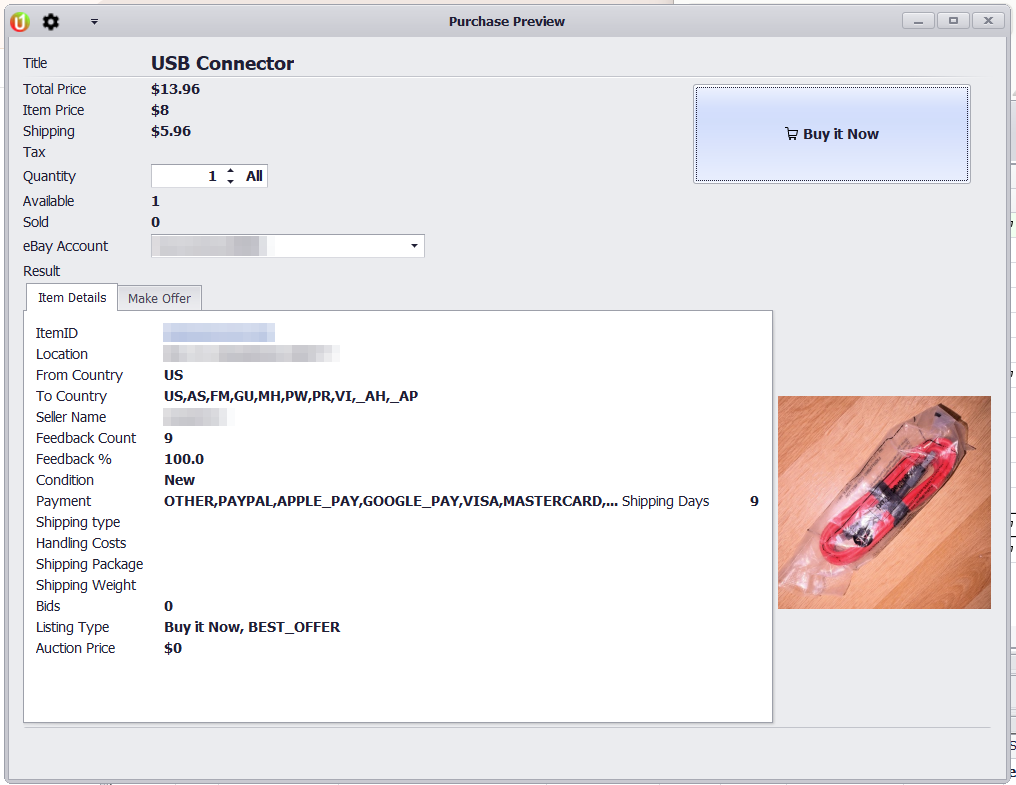
3. Check the Purchase Preview: Total Price, Shipping, Quantity and the eBay Account the order goes on. Then click Buy it Now and confirm with Yes. #
4. The Result line turns green and starts with “Purchased”. The order now exists on eBay, unpaid. #
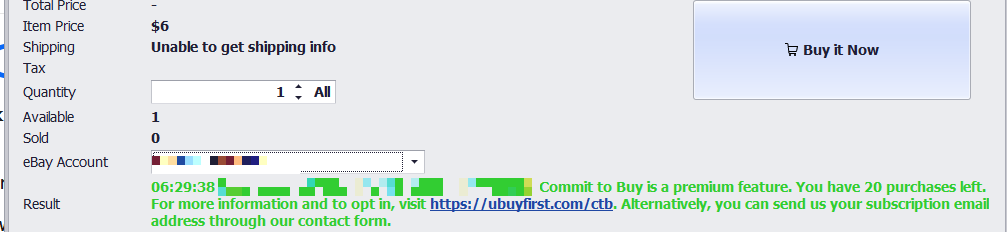
Shipping May Show “Unable to Get Shipping Info”.
The preview then shows Total Price as “-” and the purchase still goes through at the item price. eBay adds the real shipping and tax when you pay, so check the total on eBay before paying.
Sold Listings.
If the item sold before you got there, the preview says “Listing is no longer available” and Buy it Now is greyed out. Nothing to undo.
The preview also has a Make Offer tab for Best Offer listings. See Make Offers Through App.
Pay on eBay #
Open eBay in your browser, go to My eBay → Purchases and pay the order under Unpaid. The total on eBay includes shipping and tax.

Pay promptly. An unpaid order can be cancelled by the seller, and cancelled orders are never billed as Commit to Buy purchases.
Troubleshooting #
| What you see | Why | What to do |
|---|---|---|
| No cart icon on any row | No eBay account is linked. Happens on a fresh install and after Restore backup. | Link your eBay account, then start the search again. |
| Buy opens my browser | The listing is not eligible (auction, immediate payment required) or no account is linked. | Finish checkout in the browser. No fee applies. |
| Confirm says the sign-in flow is not complete | eBay’s Agree page had not finished when you clicked Confirm. | Make sure the eBay page confirmed the link, then click Confirm again. |
| Result line stays empty after Yes | eBay did not answer in time. | Check My eBay → Purchases before buying again. The order may already exist. |
| Questions about the fee or your invoice | Billing is handled outside the app. | See Commit to Buy or contact support. |


