
eBay’s statuses come in synced; your own status dimensions layer on top
Table of Contents #
Two Kinds of Status #
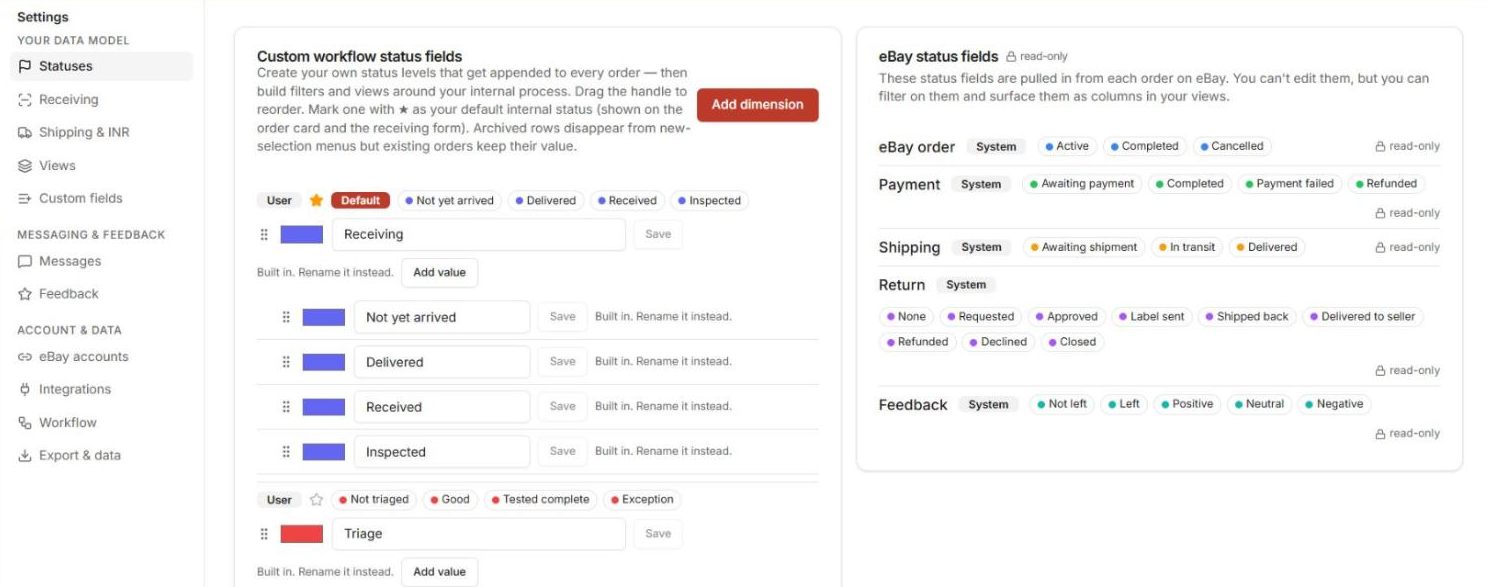
Every order carries two kinds of status fields:
- eBay status fields — synced from eBay, read-only: eBay order, Payment, Shipping, Return, Feedback.
- Custom workflow status dimensions — your own, built in Settings → Statuses: name a dimension (e.g. Triage, Completion), add values, pick colors.
Archived, Not Deleted.
Values in a custom dimension are archived rather than deleted — archiving hides a value without losing the history on orders that used it.
Receiving, Triage and Completion come with built-in values (for example Not triaged · Exception). You can rename them but not archive them, and you can add your own.
Where You Set Statuses #
- Order page: the Order overview card shows your dimensions under Yours ★ — click a value to set it, +N more opens the rest. Receiving & triage lists them as chips too, and Actions ▾ → Set status does the same job.
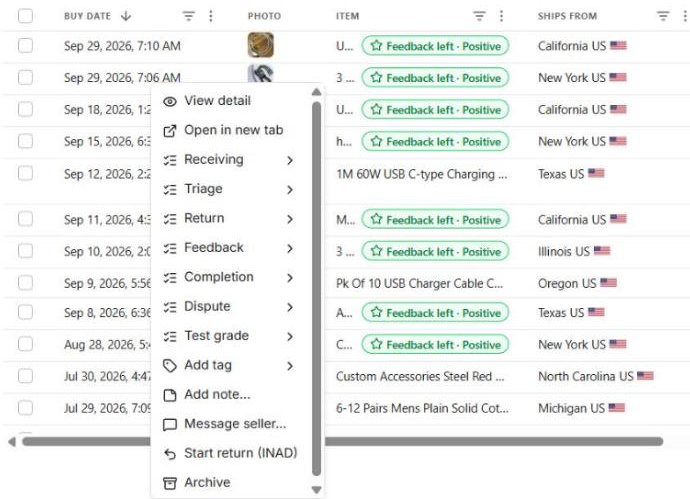
- Grid right-click: right-click any order row — all status dimensions are right there.
- Columns: your custom dimensions are available in the column picker, so a view can show them as columns.

Known Quirk.
Filtering views by a custom status dimension isn’t verified yet — set and read them via the surfaces above for now.
Tags vs Statuses #
Statuses are structured state (one value per dimension per order). Triage tags are looser, quick labels applied at receiving time — see Triage Tags in Receiving Items.
Next: talk to sellers and close orders out: Messaging Sellers & Feedback.


