
Connect your eBay account(s) and pull your orders in
Table of Contents #
Connect an eBay Account #
- Open Settings → eBay accounts.
- Click Connect account. You’re taken to eBay’s own sign-in page — sign in there and approve. We never see your password.
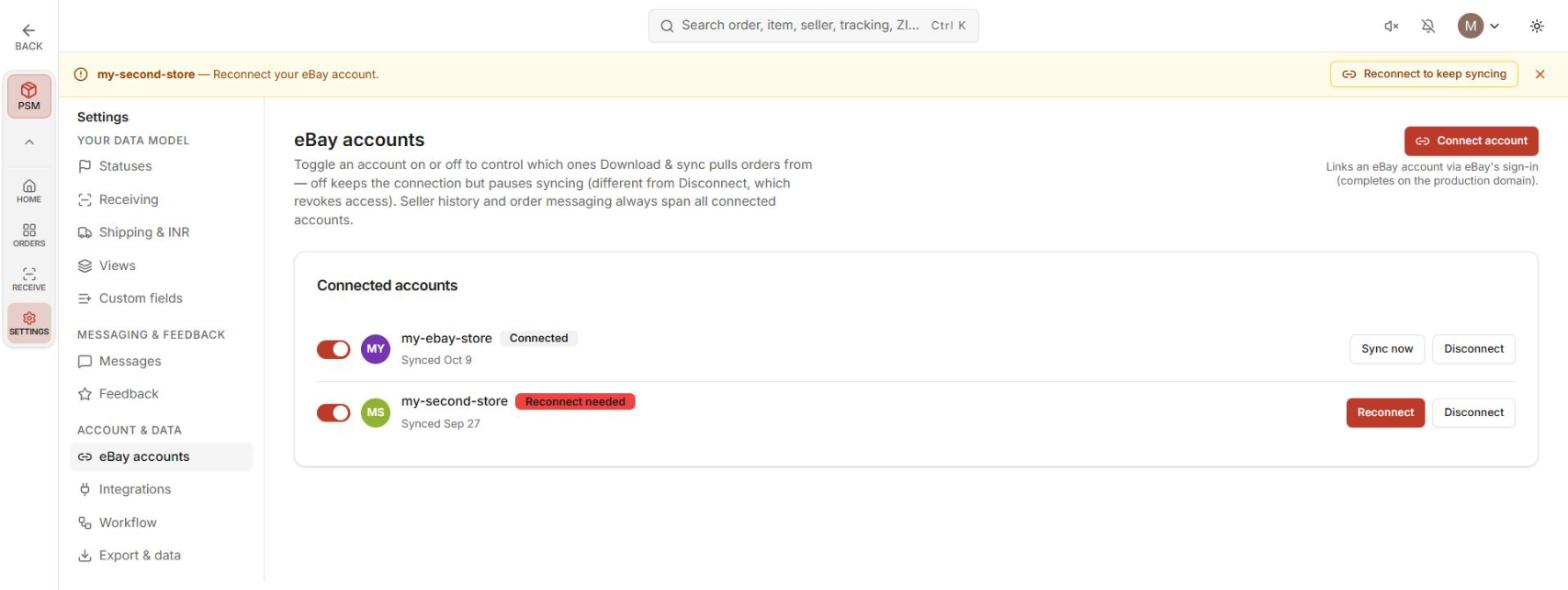
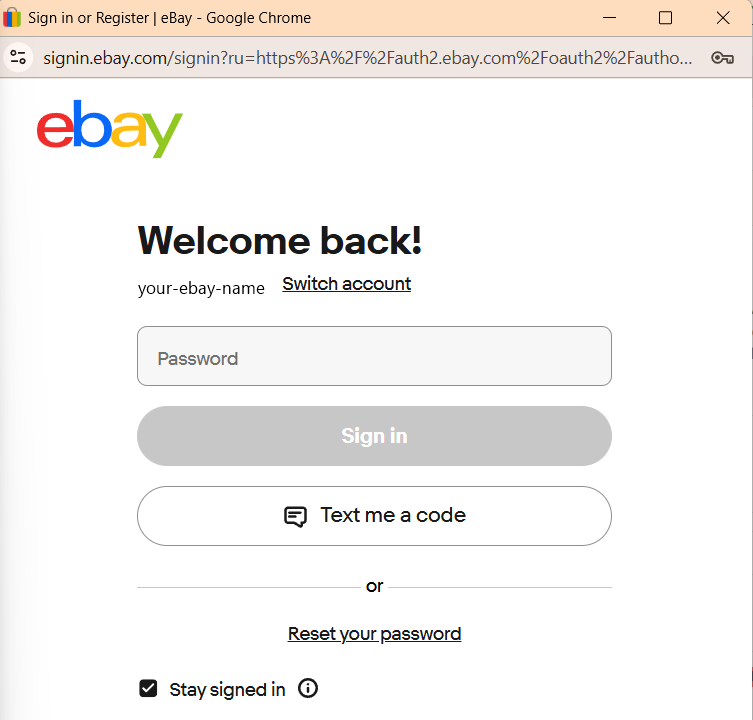
Once connected, the account appears in the Connected accounts list with its status and last-synced date.
Known Quirk.
There’s no explicit success message after connecting yet — confirm by checking that the account shows in the list with a recent “Synced” date.
More Than One Account #
You can connect multiple eBay accounts. Orders and seller history span all connected accounts — views, receiving, and messaging all work across them.
Keep Accounts Syncing #
Each connected account has:
- a sync toggle — turn syncing on/off per account,
- Sync now — trigger an immediate sync,
- Disconnect — remove the account.
Pull Your Orders #
On the Orders page, hit Download & sync (top right, above the grid). Your orders land in the grid.
Known Quirk.
Sync doesn’t show a confirmation yet. Check the grid contents or the account’s last-synced date to verify a pull happened.
Next: your orders are in — go work them: Orders, Views & Filters.


