
The dashboard bends to how you work
Table of Contents #
The Home Dashboard #
Home (left nav) is your PSM dashboard. Its modules are draggable — rearrange them to match how you work.
Recent Activity #
The Recent activity module is the running log of what’s happened: messages sent, feedback submitted, returns initiated, orders created by sync — who did it and when.

Workflow Presets #
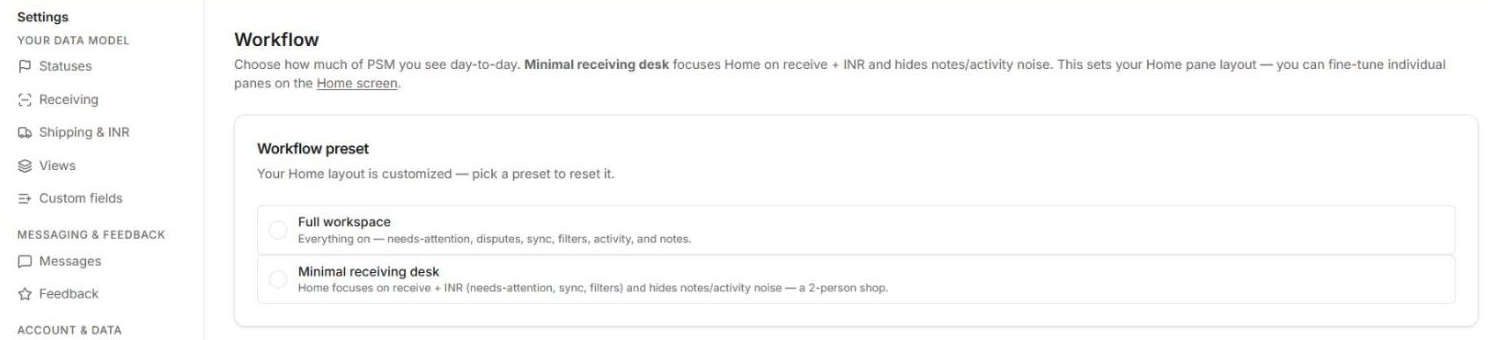
Settings → Workflow → Workflow preset switches the whole workspace shape:
- Full workspace — everything on.
- Minimal receiving desk — stripped down for a station that only checks items in.
Known Quirk.
Clicking a preset can currently flip the light/dark theme — flip it back in settings if it catches you; a fix is queued.
What’s Coming Here #
Deeper layout control (hide any module, restore from a hidden-items area) is high on the list right after the current fix batch.
That’s the tour. Back to the start: Post-Sale Management Overview — or Getting Started if you’re setting up a new account.


