
Buy eligible eBay listings in one step from uBuyAssist (web app, September 2026)
What it is.
Commit to Buy places the order on eBay under your connected eBay account the moment you confirm, so you skip the checkout pages. It is optional and paid: a usage fee of 1% of the item price, invoiced monthly, paid by you. Buying in volume? Discounts on the fee can be reviewed on request: email su*****@*******st.com. Nothing is auto-charged to your card. Full terms: Commit to Buy.
Table of Contents #
Turn It On #
Everyone sees the Commit to Buy button on eligible listings. Until you opt in, clicking it only offers the enrolment. One-time setup, three steps in one dialog. Connect your eBay account first (Settings → eBay Account).
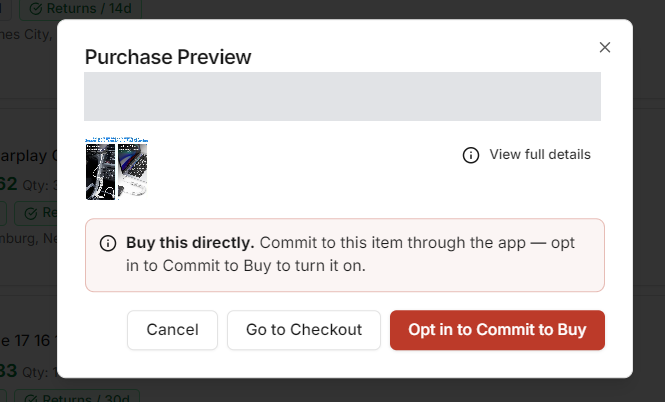
1. Open Settings → Commit to Buy and click Enable Commit to Buy. You can also click Opt in to Commit to Buy when a Purchase Preview offers it. #
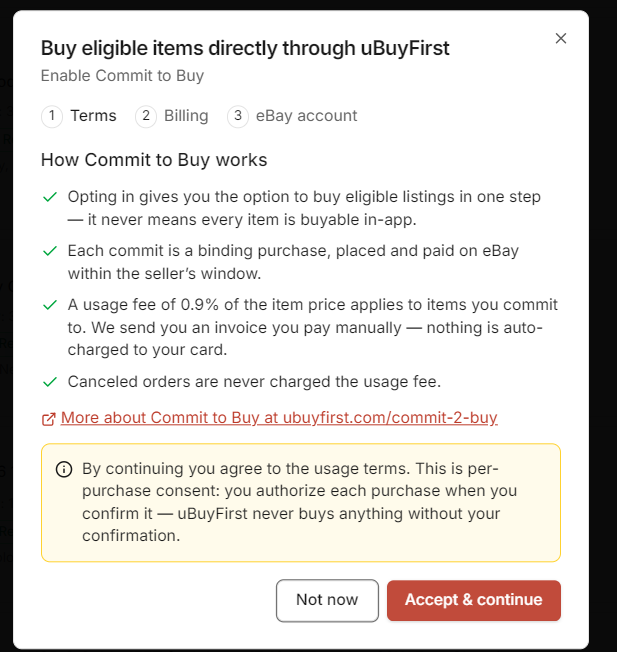
2. Terms. Read how it works and click Accept & continue. Every purchase still needs your confirmation. #
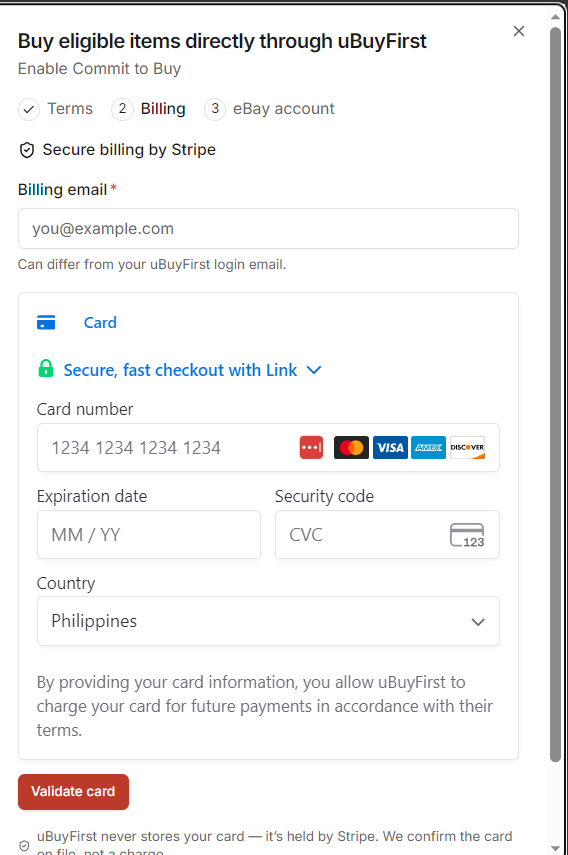
3. Billing. Enter a billing email and a card, then click Validate card. Stripe holds the card. This is a $0 check, not a charge. #
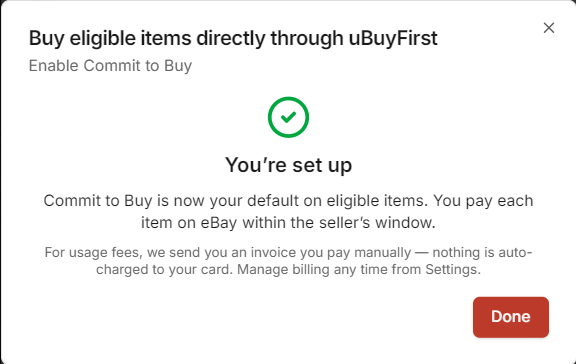
4. eBay account. Confirm which connected eBay account purchases go on. You will see “You’re set up”. Click Done. #
Commit to a Listing #
1. Eligible listings show a green Commit to Buy button on the card. Click it. #
Listings that cannot be bought in one step show Go to Checkout instead. The Commit To filter above the results counts the commit-eligible listings and can show only those.

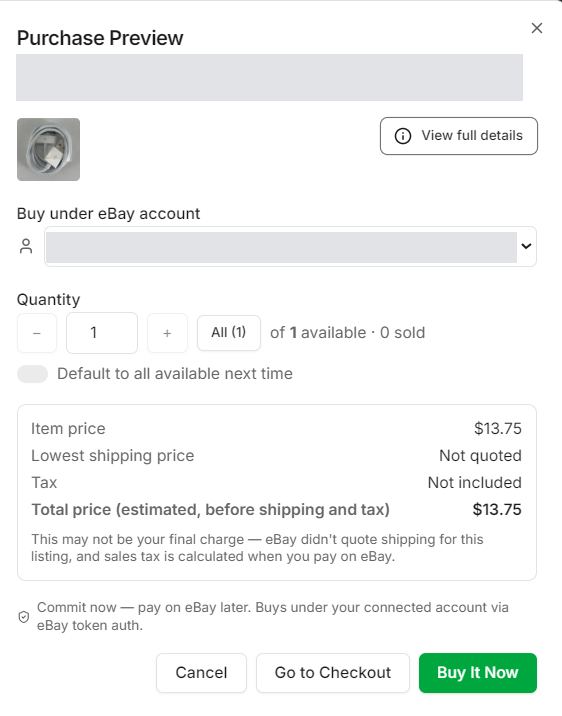
2. In the Purchase Preview check the eBay account, the quantity and the price, then click Buy It Now. #
The total shown is the item price only. eBay adds shipping and tax when you pay. If shipping reads “Not quoted”, eBay did not return a rate for the listing.
3. “Commit placed” means the order now exists on eBay, unpaid. Click Done. #
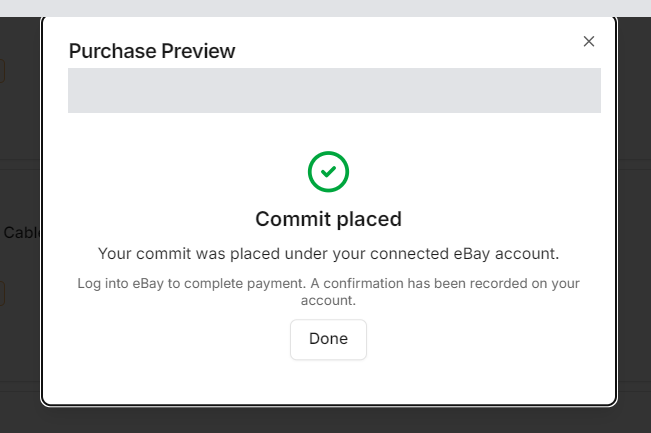
Each Commit is a Binding Purchase.
Cancelling afterwards is between you and the seller on eBay. Cancelled orders are never charged the usage fee.
Go to Checkout is Still There.
Every Purchase Preview also has Go to Checkout, which opens eBay checkout in your browser at no fee. Use it for anything the app calls “Not eligible”.
Pay on eBay #
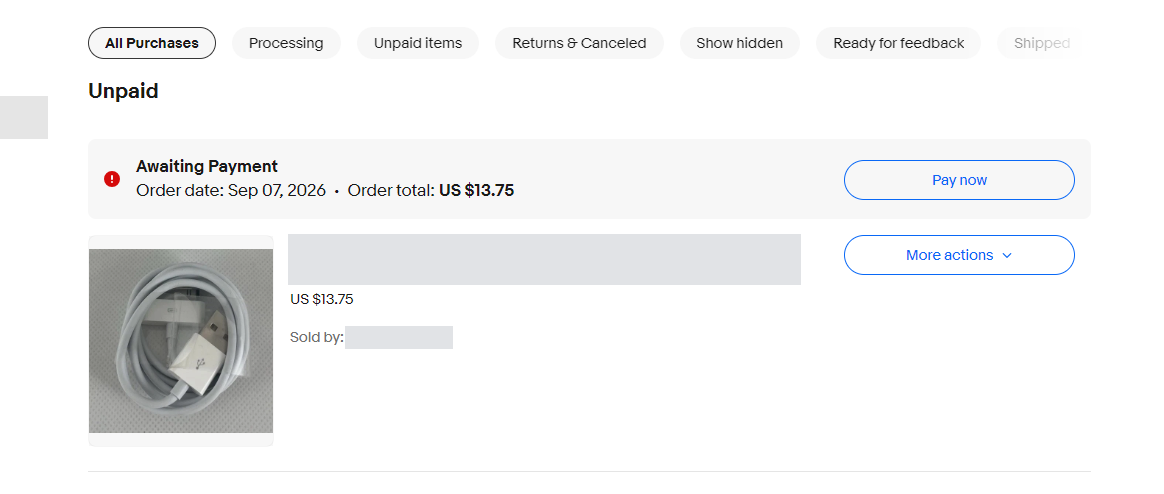
Open eBay, go to My eBay → Purchases and pay the order under Unpaid. Pay within the seller’s window, or the seller can cancel the order.
Turn It Off or Change Billing #
Settings → Commit to Buy shows whether it is enabled, with Turn off and Manage billing in Stripe. Under Buying Actions you can switch Commit to Buy on or off per connected eBay account and pick the default purchase account.
Turn off blocks new commits for every account right away. Your connected-account settings and card stay on file. Turning it back on means going through the enrolment again (terms, card, account).
Troubleshooting #
| What you see | Why | What to do |
|---|---|---|
| Card shows Go to Checkout, not Commit to Buy | The listing is not eligible for one-step buying. | Use Go to Checkout, or set the Commit To filter to show eligible listings only. |
| Commit to Buy button opens an opt-in prompt | You are not enrolled yet, or Commit to Buy is turned off. | Click Opt in to Commit to Buy, or check Settings → Commit to Buy. |
| Preview says “Not eligible” | The listing cannot be bought in one step (auction, immediate payment required, or already sold). | Use Go to Checkout. |
| Order total on eBay is higher than the preview | The preview shows the item price. Shipping and tax are added by eBay. | Check the total on eBay before paying. |
| Questions about the fee or an invoice | Invoices come from Stripe once a month. | See Commit to Buy or contact support. |


