
Your orders are your data — take them anywhere
Table of Contents #
Export a View #
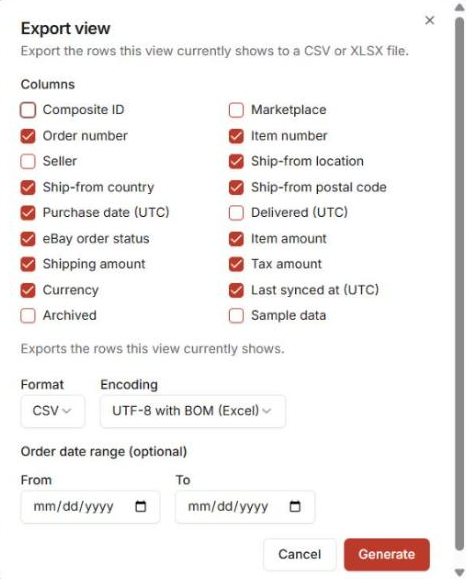
From the Orders grid: … menu → Export view…
- Pick the columns (checkboxes; Shipped (UTC), when eBay says the order shipped, is one of them),
- pick the format (CSV or XLSX) and encoding (UTF-8),
- optionally limit by order date range.
The export matches what the view shows — build the view first, then export it. Column filters you have set in the grid are included too.
Account-Level Exports #
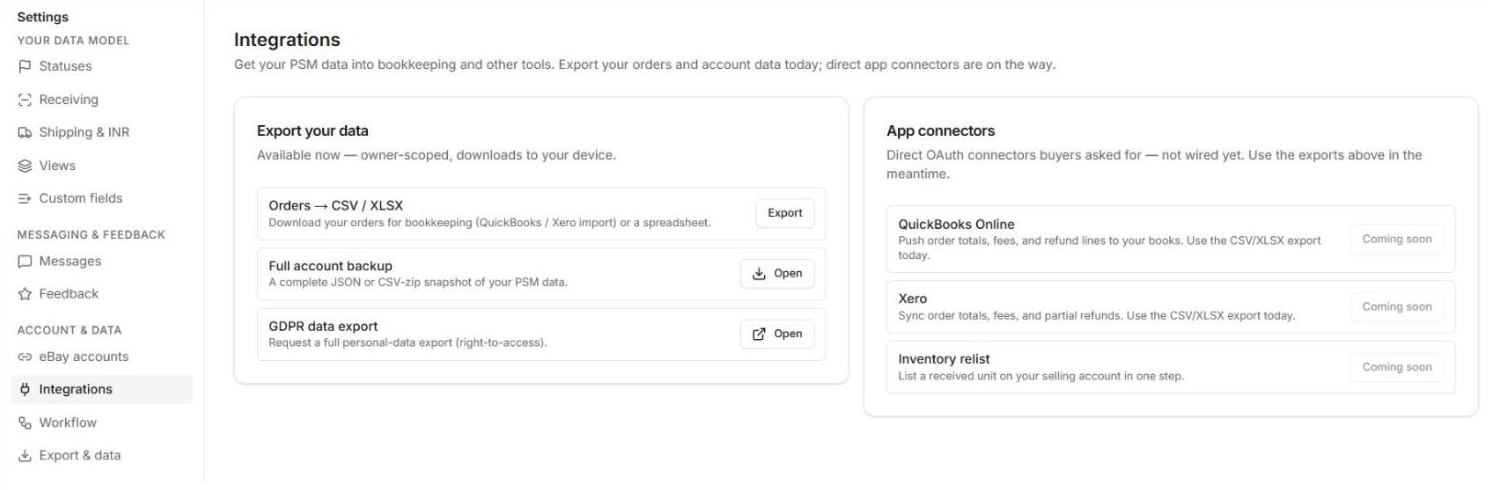
Settings → Integrations → Export your data holds the bigger hammers:
- Orders → CSV/XLSX — everything, not just one view,
- Full account backup,
- GDPR data export.
These are owner-scoped — only the account owner sees them.
Heads Up.
This settings area is being consolidated — the export and data controls may move into a single “your data” section soon.
Next: make the workspace yours: Home & Workspace Layout.


