
Describe what you are hunting for; Scout turns it into a live eBay search and can save it for you
At a Glance.
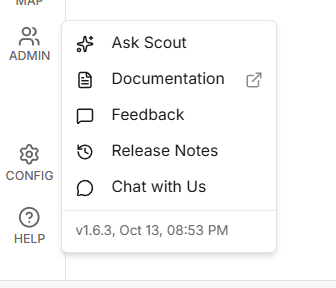
Find Scout under Help → Ask Scout. Tell it what you are looking for in one sentence and it searches eBay for you, saves the search as an alert when you ask, and can read or change your saved searches. Scout is new, and we keep adding to what it can do.
Table of Contents #
What Scout Is #
Scout is the assistant built into the uBuyFirst web app. You type what you want in a normal sentence, Scout turns it into an eBay search, runs it, and shows you the listings. It can also save that search so it keeps running as an alert, and it can read or change your saved searches when you ask.
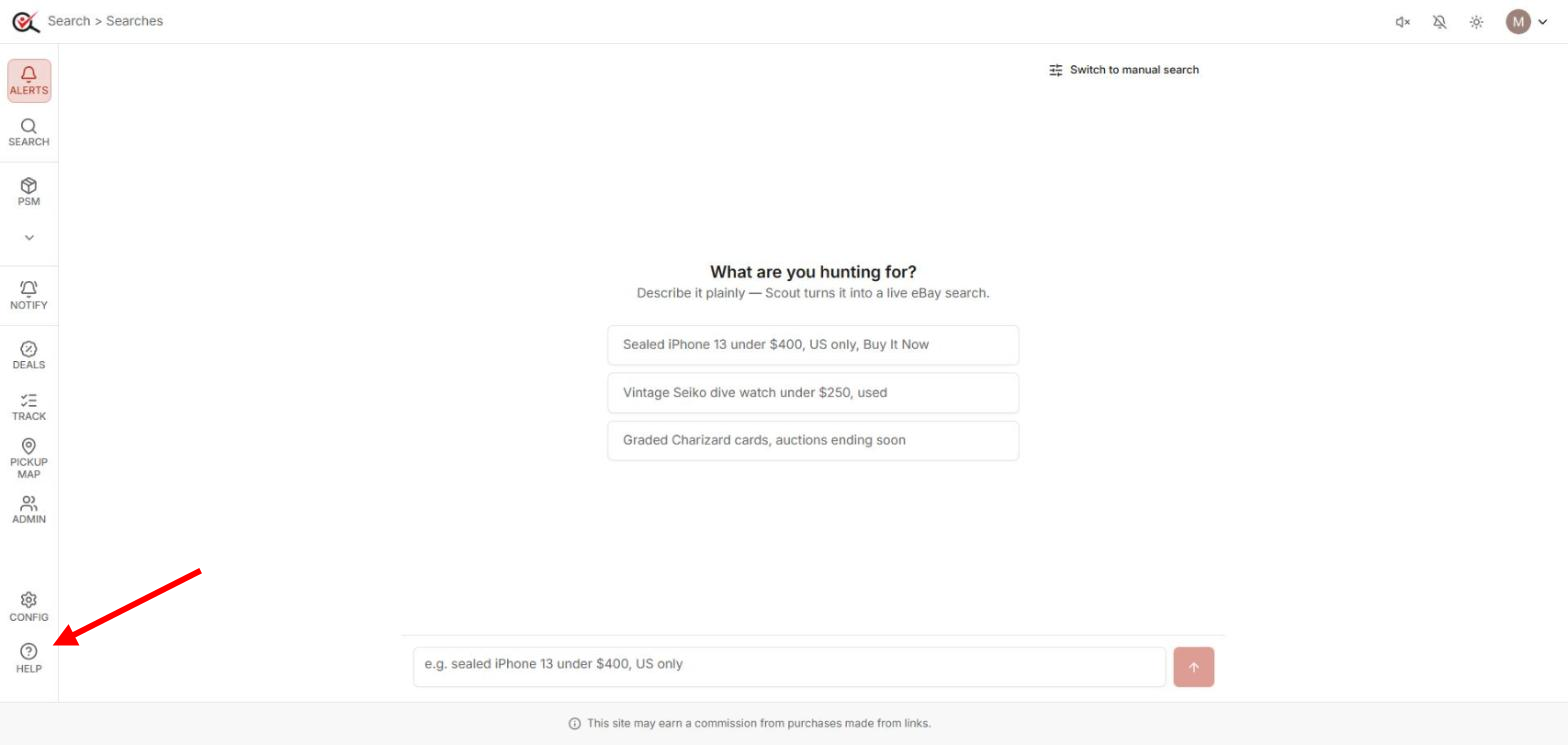
Open it from the Help menu at the bottom-left of the app: Help → Ask Scout. The page opens with “What are you hunting for?”, three example prompts and a box to type in. Switch to manual search at the top-right takes you back to the normal Search page at any time.
Daily Limit.
Each exchange uses a small amount of your account’s daily Scout budget. When it is used up, Scout tells you and answers again the next day. A single turn also stops after ten minutes.
Ask for Listings #
Write one sentence with the things you care about: the item, a price, the condition, the listing type, where it ships from. For example:
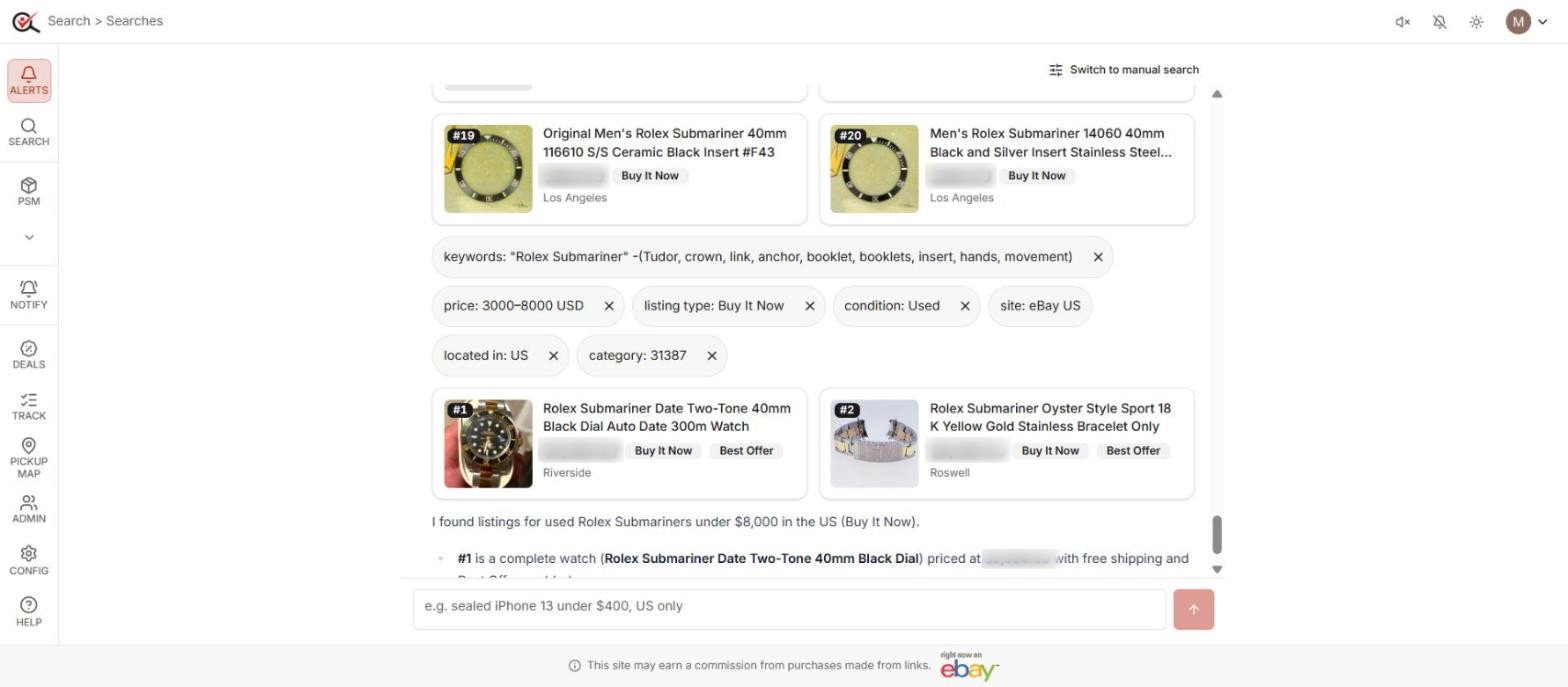
Rolex Submariner under $8000, used, US only, Buy It NowScout reads the sentence and shows the search it built as a row of chips: keywords, price, listing type, condition, site, located in, category. Below the chips come the listings as numbered cards (title, price, Buy It Now or Best Offer, location), then a short summary that points out what is worth a look and what is not a complete item.
Scout may search more than once on its own. When the first pass is full of accessories or parts, it adds exclusions to the keywords, picks a category or raises the price floor, and runs again. Every pass shows its own chip row, so you can see what changed.
Tight Sentence, Fewer Passes.
Name the model, give a price band with a floor, and say “watch only” or “no parts” where accessories flood the results. Each pass Scout runs counts against your daily Scout budget.
You can keep talking: “only black ones”, “raise the price to $9,000”, “show me the ones with Best Offer”. Scout changes the chips and runs again.
Save or Change a Search #
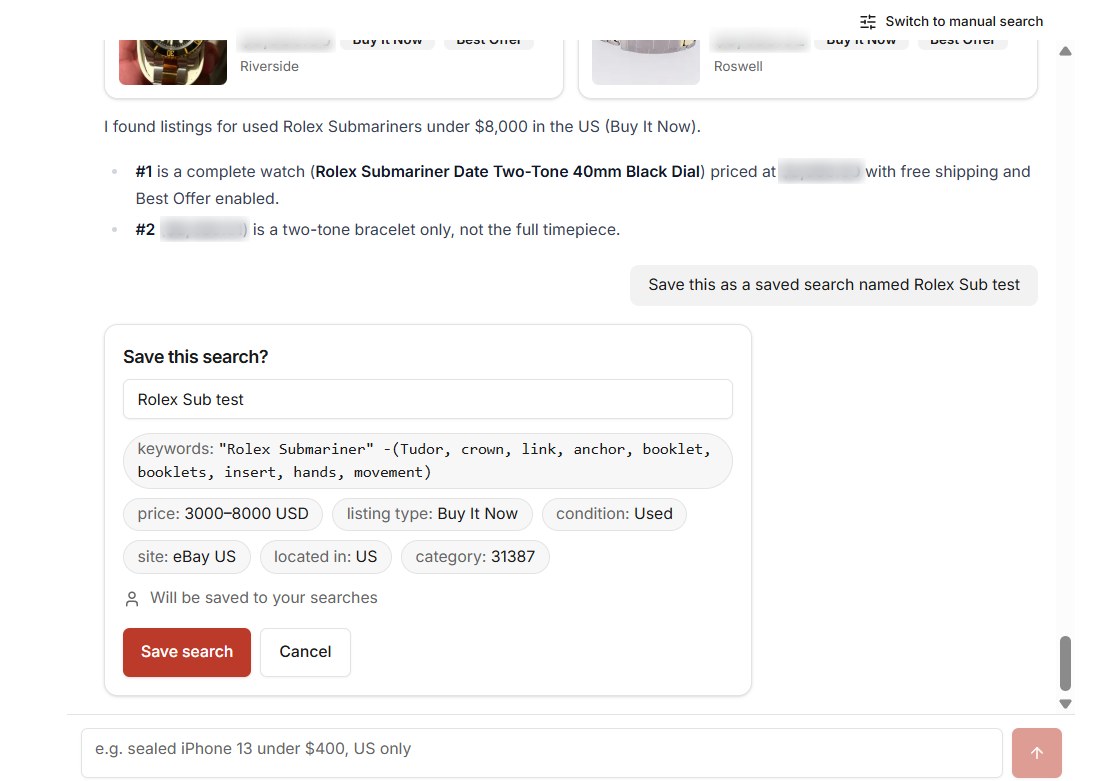
Happy with the results? Ask Scout to keep it: “Save this as a saved search named Rolex Sub test”. Scout shows a card, Save this search?, with the name (you can edit it), the keywords and every chip, and the line “Will be saved to your searches”. Nothing changes until you click Save search. Cancel leaves everything as it was.
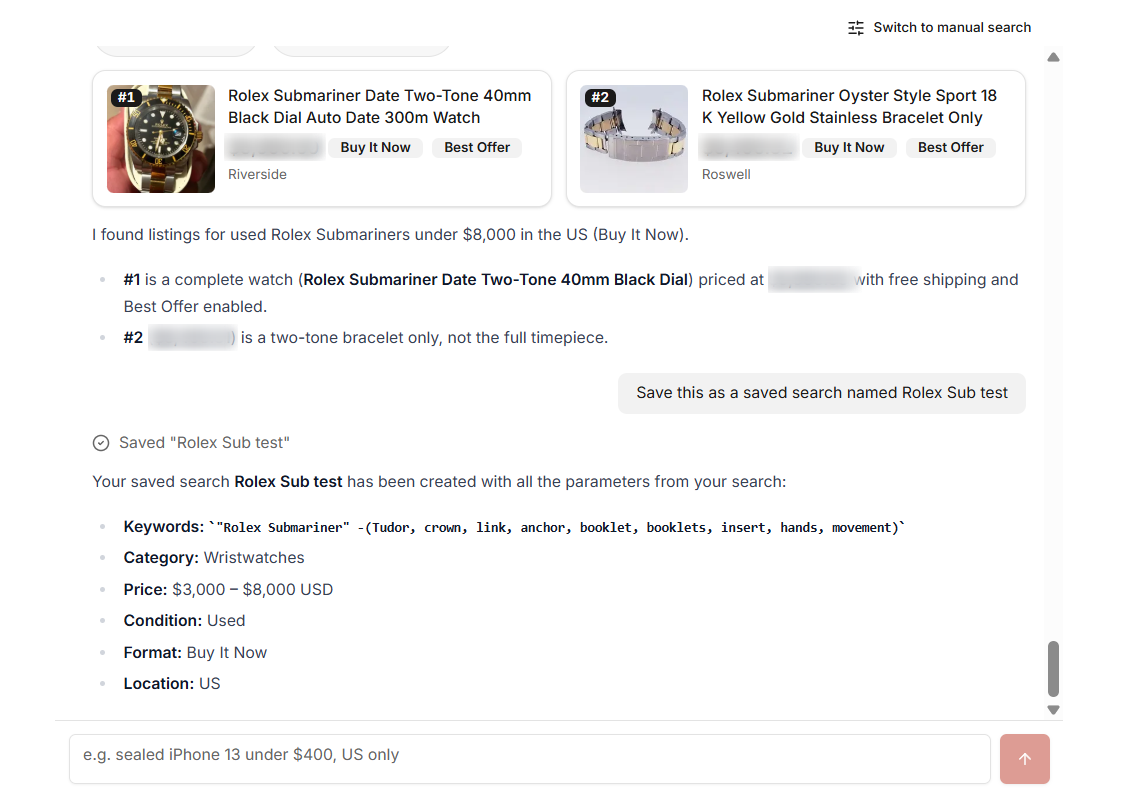
After you save, Scout confirms with the full set of parameters, and the search sits under your saved searches like any other, with alerts on. From there you edit, pause or delete it the usual way.
The same card appears for every change Scout proposes to your account: renaming, editing, pausing, moving or removing a saved search. Questions that only read your account answer straight away, for example “list my saved searches”, “what folders do I have”, “show my notification settings”.
Scout Never Saves on Its Own.
Every write goes through the card. If Scout says something was saved, the card was confirmed first; if you cancelled, nothing happened.
What Scout Won’t Do #
- Bulk work. Importing or exporting searches, filters or blocked lists is done from the app’s own menus; Scout points you there.
- Buying. Scout finds and saves searches. Buying, offers and alerts stay where they are today.
- Other people’s searches. On a team account Scout only sees the team folders you can reach yourself.
FAQ #
Scout searched three or four times for one question. Is that normal? Yes. It refines its own search when the first results are off. A tighter sentence cuts that down.
I saved a search by mistake. Delete it from your saved searches like any other; nothing else was changed.
The price chip shows a floor I never typed. Scout adds a floor to push cheap parts out. Say “no minimum price” and it runs again without it.
Can I see what Scout did to my account? Every saved change was shown on a card you confirmed, and the search itself is in your saved searches with its full settings.


